ship, seven weeks later: any model, and my phone
A few weeks after I wrote about ship, Claude Code got a /ship of its own. It’s a nice built-in, with some useful subcommands. It also took the name from my skill. I typed /ship BIG-12345 and got Anthropic’s version instead of mine.
Getting mine back took two tries. The first fix was the obvious one: set "skillOverrides": {"ship-local": "off"} in ~/.claude/settings.json. That hid the built-in, but the built-in still held the /ship name, so my skill never loaded either. I had no /ship at all until a second session dug through the Claude Code binary and found the real switch:
{
  "env": {
    "CLAUDE_CODE_DISABLE_SHIP": "1"
  }
}
With that set, the built-in never registers and a user skill named ship loads like it used to. If you have your own /ship, that’s the setting you want.
That fight seemed like a good excuse to look at how much ship itself has changed. Since the first post it has had a little over 200 commits. The first post was about Jira tickets, and that’s no longer most of what goes through it. ship takes a ticket, a PR, a GitHub issue, or a plain description of anything: a bug, a research question, a doc to draft, a chore that needs no repo at all. Each one gets its own directory and session, and works out for itself which repos it needs, if any. Beyond that, two changes matter most: it isn’t tied to Claude anymore, and it works from my phone.
Any harness, any model
When I wrote the first post, ship meant Claude Code. Now a run can go to one of four harnesses: Claude Code, OpenAI’s Codex CLI, the Pi coding agent, or Google’s Antigravity CLI.
ship --harness codex --model gpt-5.5 "find out why the nightly import is slow"
ship --harness pi --model openrouter/anthropic/claude-sonnet-4.5 "compare the JSON schema libraries for Ruby"
ship --harness antigravity https://github.com/example/app/issues/42
ship --model opus --effort high BIG-12345
Pi is the one that opened things up. Pi doesn’t come with a model of its own. It talks to any provider you sign in to, so a run can use anything pi --list-models shows, including pay-as-you-go models like DeepSeek through OpenRouter. The ship wizard pulls that list in and makes it searchable. Since those models bill per call, the dashboard adds up what Pi spent in the last 24 hours, by model, next to the Claude and Codex usage meters.
Getting the other harnesses to behave like Claude took most of the work. Codex, Pi and Antigravity can’t load Claude Code’s skills or plugins, so their prompts say where each SKILL.md is and tell them to read and follow it, and to treat the repo’s CLAUDE.md like an AGENTS.md or GEMINI.md. Nothing wakes them up once a turn ends, so they’re told to wait on CI and review inside the turn. The watcher reads each harness’s transcript format to find the context size and whether the session is between turns, so it can still type /compact when a session gets long. It doesn’t matter which agent is in the pane.
The most useful part of having four harnesses is the usage limit. When a session hits its limit, the watcher marks the run Limit and it moves to Needs you. c asks which harness, model and effort should continue it. Pick a different one and ship quits the stuck harness and starts the run again in the same worktree, picking up from what the run recorded. A Claude limit at 2pm no longer means the work waits until the limit resets.
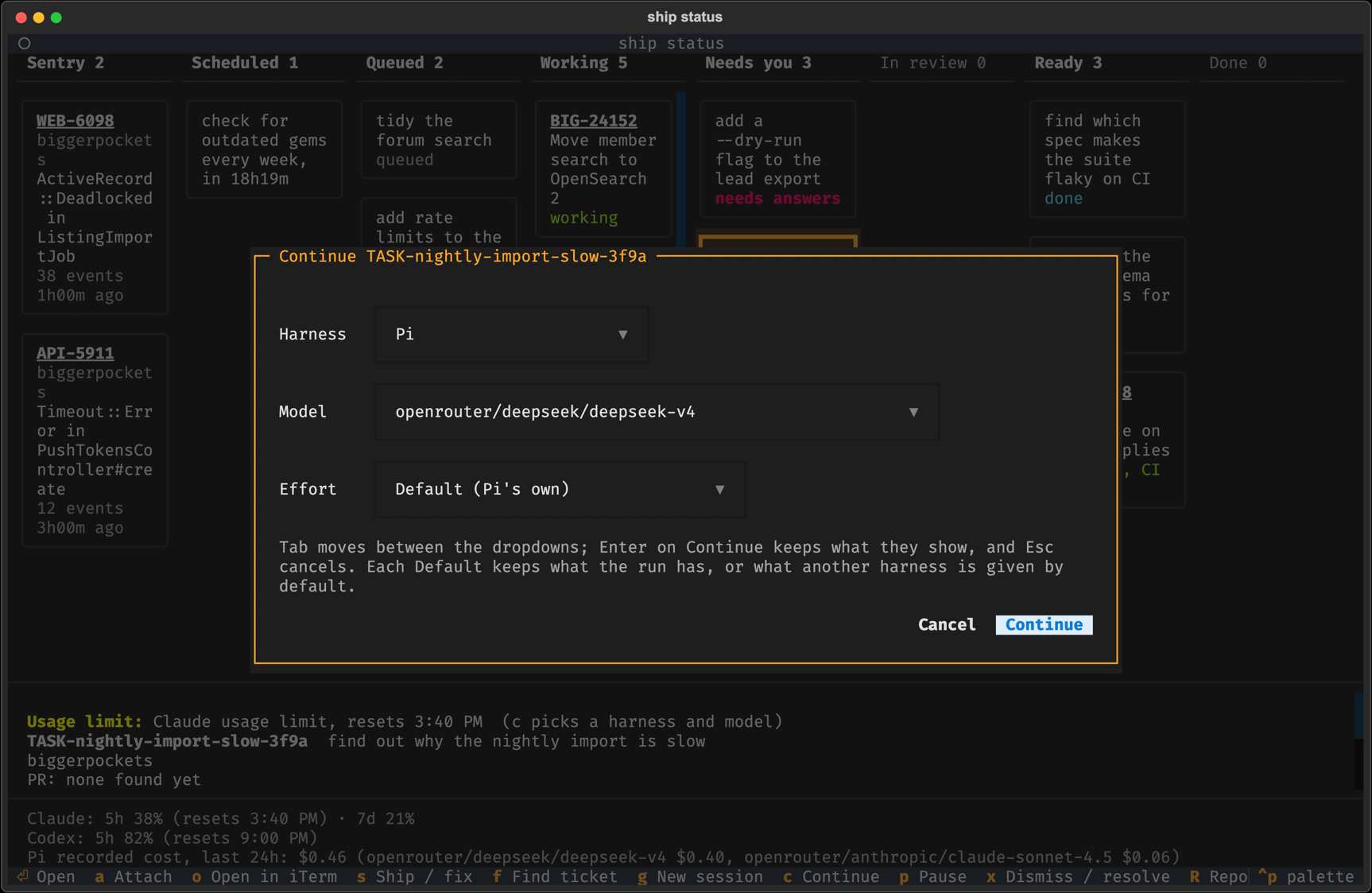
Demo data. A research task that hit Claude’s limit, about to carry on in Pi with DeepSeek. The footer shows the Claude and Codex usage and Pi’s recorded spend.
From my phone, over Tailscale
The big change in how I use ship is that I don’t need to be at my laptop. Most of what the dashboard asks of me is small: answer a question, continue a run, update a branch. None of that needs a keyboard.
The first step was making ship status work in a narrow terminal. Under 80 columns it turns into a list of cards, every dialog has buttons because a phone keyboard has no Esc, and links reached over SSH go to the phone’s clipboard instead of opening a browser on the Mac.
That works, but a TUI over SSH on a phone is still a TUI over SSH on a phone. So ship web serves the same board as a small web app, and tailscale serve puts it on my tailnet:
ship web                  # http://127.0.0.1:8787
tailscale serve --bg 8787 # https://<machine>.<tailnet>.ts.net
The server only listens on localhost and has no login, because Tailscale handles that part. Only my own devices can reach it, and each request names who sent it. On an iPhone, Add to Home Screen turns it into an app that can send notifications, so my phone buzzes when a run needs an answer, hits a usage limit, gets stuck, or is ready to merge.
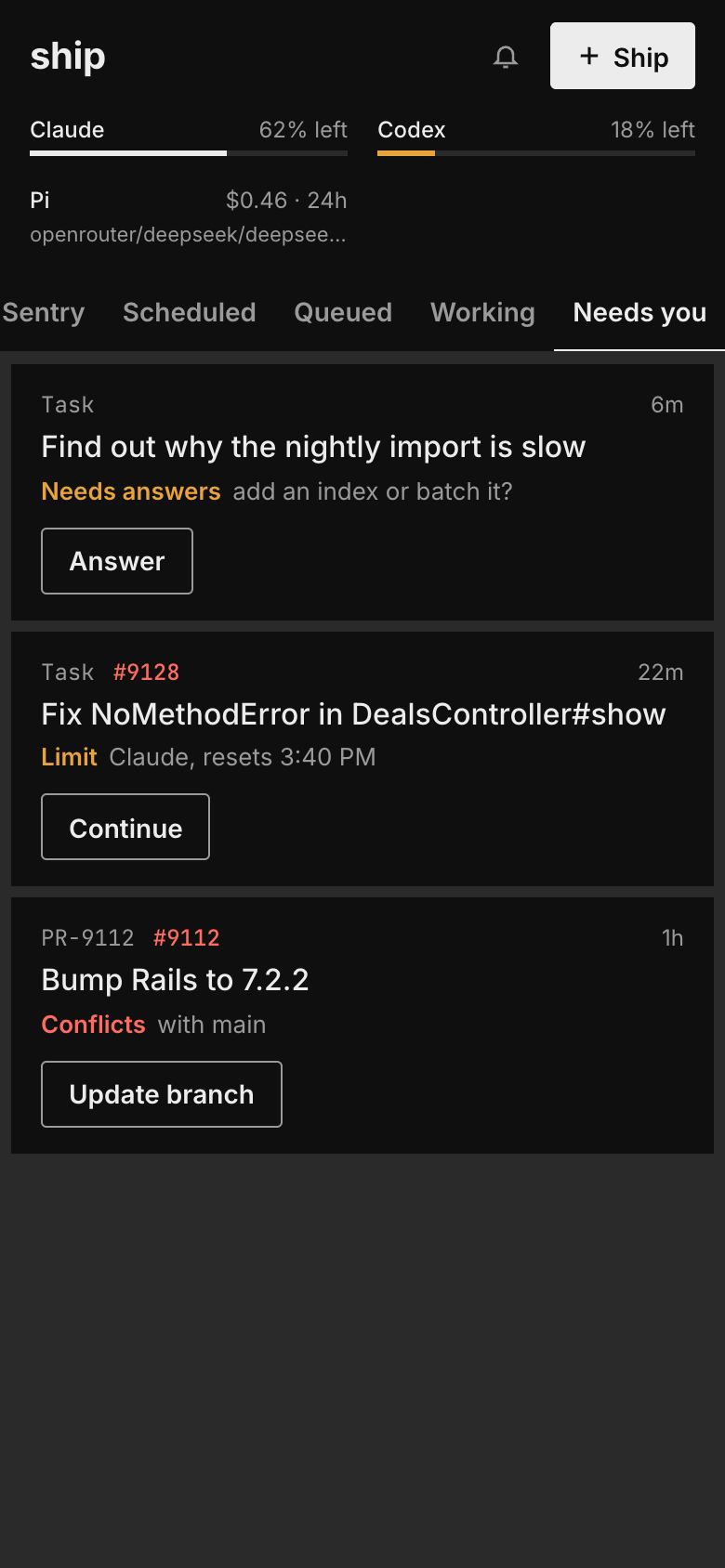
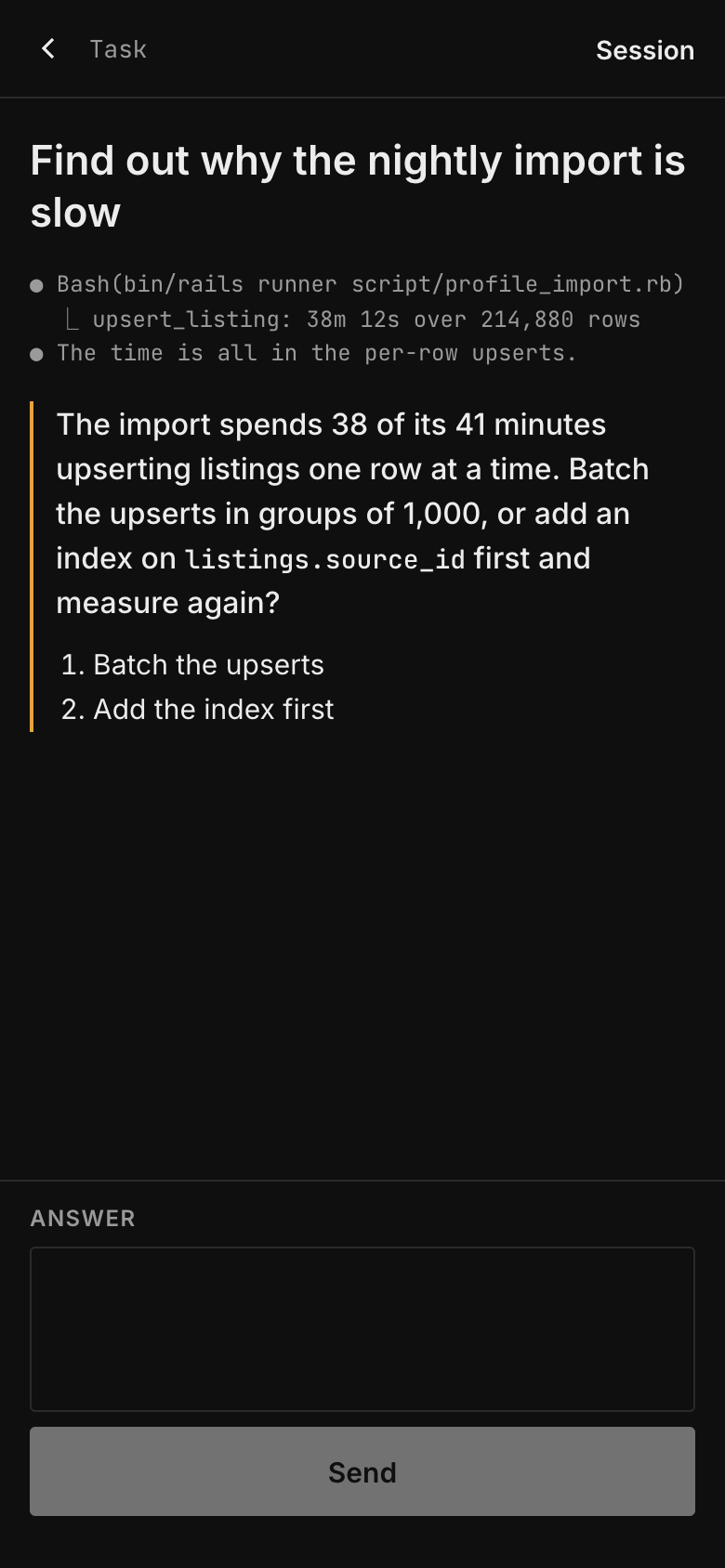
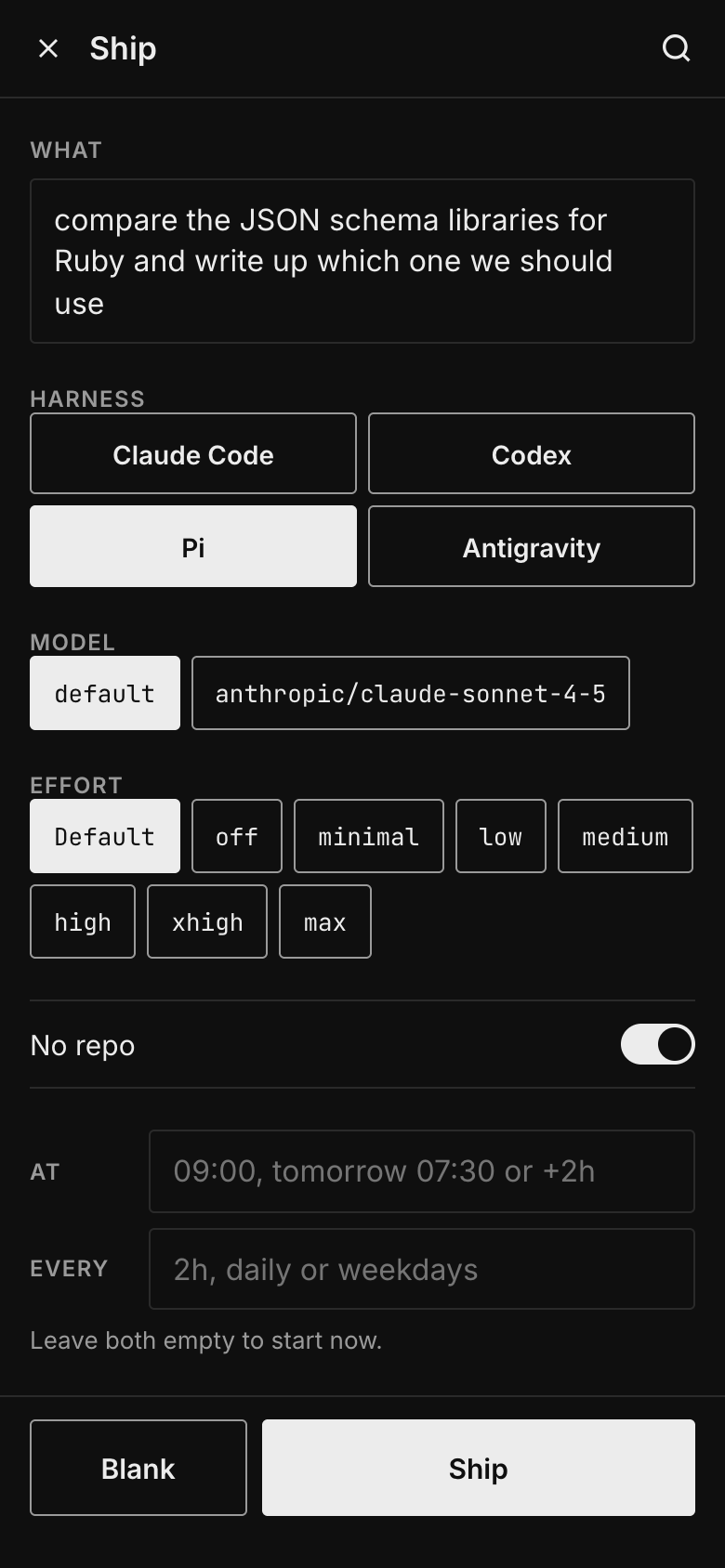
Demo data. The work and PRs are made up.
From left to right: the board opens on Needs you, with the Claude and Codex usage meters and Pi’s 24-hour cost at the top. A question from a session looks like a chat message, and I answer it in a sentence. The Ship screen takes anything, a ticket, a link or a plain description, with the harness, model and effort to use, a No repo switch for work that doesn’t need one, and an At or Every field to schedule it for later. There’s also a real terminal (xterm.js, with a key bar for Esc, Tab, arrows and Ctrl) when I need to get into a session’s tmux pane directly.
This is how I want to work with these agents. A question shows up, I answer it in ten seconds from wherever I am, and the run keeps going.
Smaller things
A few other changes worth mentioning:
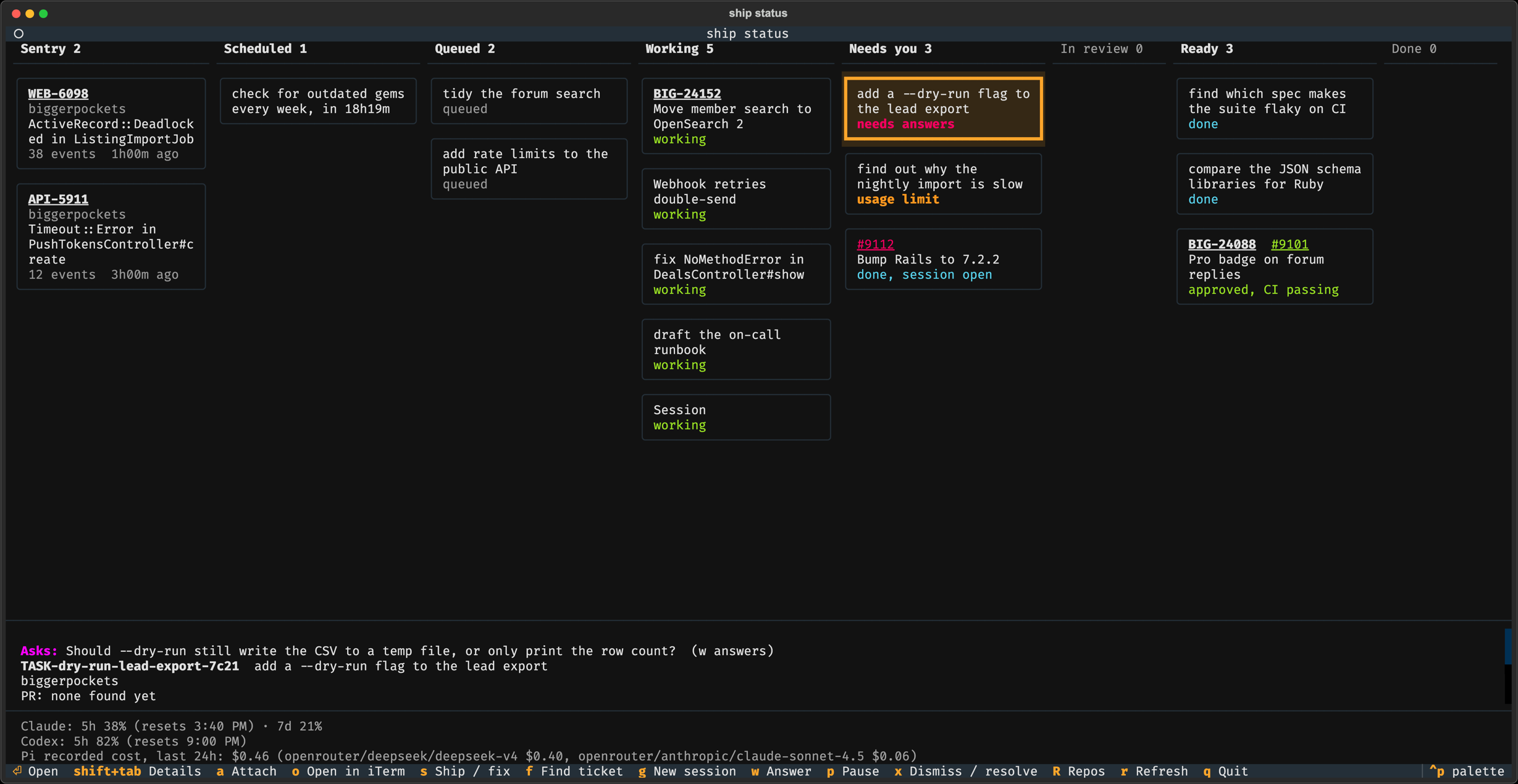
Demo data. Most of the board is plain descriptions: research, a runbook, a blank session, a Sentry fix. The selected task is asking a question, which shows under the board.
- Scheduling.
ship --at 09:00andship --every weekdays --at 09:00run work later or on a schedule, from the CLI, the dashboard or the phone. - A kanban board.
ship statusis now columns (Sentry, Scheduled, Queued, Working, Needs you, In review, Ready, Done) instead of a table. - A session limit. Work past ten open sessions waits in a queue and starts when one closes.
- No more auto-ship. I took out the every-15-minutes Jira poll. I pick what gets shipped now.
- Blank sessions.
ship --session, orgon the board, opens a session with nothing to start from, for when I just want to talk something through in a tracked session. - Jira without MCP.
shiptalks to Jira’s API directly, through one small package. Shipping a ticket ships the tickets that block it first.
Still mine
Everything from the first post still applies. It’s closed source, it’s built around how I work, and most of these changes were worked on by ship sessions themselves.
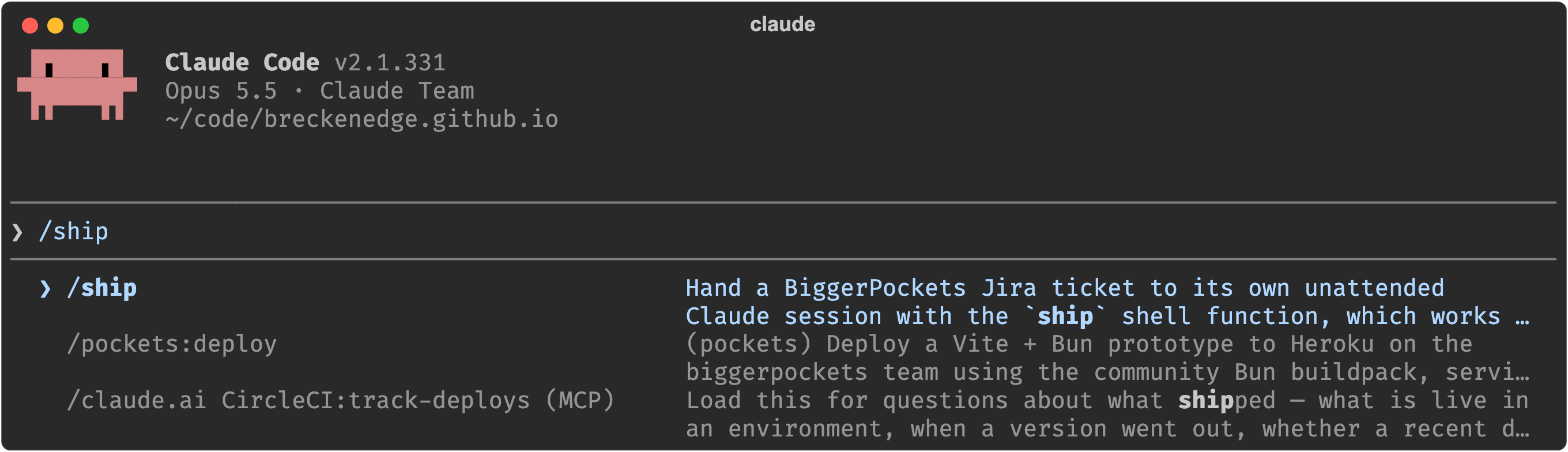
My /ship back where it belongs, with CLAUDE_CODE_DISABLE_SHIP set.
The /ship name clash was a good reminder that when you build your own tools on someone else’s platform, the platform can change under you. It took a couple of sessions and one environment variable to sort out, which is a small price for a tool that does exactly what I want.